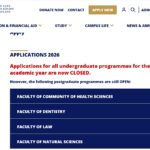
Submitting an application to a higher education institution is only the first step in a journey that requires patience and attentiveness. For the 2026/2027 academic cycle, the University of the Western Cape (UWC) has processed tens of thousands of applications, competing for a limited number of spaces in various faculties. Once you have completed and sent off your application, the natural next question is, “What happens now?”
Understanding how to check your application status at University of Western Cape is crucial. It is the primary way to confirm that the university has received your information, to see if any additional documents are required, and ultimately, to find out if you have been offered a place. UWC utilizes an online portal that provides real-time updates, meaning you don’t have to wait for a physical letter to arrive in the mail to know where you stand.
This guide will walk you through the entire process. We will cover the prerequisites for checking your status, provide a detailed step-by-step guide to navigating the portal, explain what different status messages mean, and advise you on what to do once you receive an outcome. Whether you are a first-time freshman or a postgraduate applicant, knowing how to monitor your application ensures you won’t miss critical deadlines, such as accepting an offer within a limited timeframe.
Understanding the UWC 2026/2027 Application Cycle
Before diving into the status-checking process, it is helpful to contextualize where the application cycle begins. For the 2027 academic year (which often opens for applications in 2026), UWC follows a structured timeline .
Key Dates for 2027 Admissions:
-
Applications Open: 1 April 2026
-
Applications Close: 30 September 2026
It is important to note that these dates apply to most faculties. However, some specific programs, such as those in the Faculty of Dentistry or Community and Health Sciences, may have earlier closing dates due to high demand and limited space . For instance, applications for the BCHD program typically close at the end of August .
UWC received a massive volume of applications in previous cycles, with over 177,000 applications for just under 5,000 first-year spots . This high volume means that the admissions office reviews applications in phases, and decisions are not all released simultaneously. This is precisely why monitoring your status is vital; it is the only way to know when your specific file has been reviewed.
Why Choose the University of the Western Cape?
Before we get into the technicalities of checking your status, it is worth reflecting on why so many students are eager to join this institution. Located in Bellville, Cape Town, UWC is not just another university; it is a place with a unique history and academic focus.
A Legacy of Social Justice
UWC has a proud history as a place of struggle against oppression. Known as a “university of the left,” it played a significant role in the anti-Apartheid movement . Today, that legacy continues with a focus on equity, transformation, and community engagement. Students aren’t just learning theory; they are often involved in community-based learning and social justice initiatives that connect them with local organizations across Cape Town .
Academic Excellence and Diversity
The university offers a wide range of programs across seven faculties, including Arts and Humanities, Natural Sciences, Law, and the highly regarded Faculty of Community and Health Sciences . The School of Nursing, for example, is the largest residential nursing school in the country . Furthermore, the campus environment is stimulating, featuring a nature reserve and access to the Robben Island Mayibuye Archives, a significant historical collection . Studying at UWC means learning in one of the most beautiful cities in the world, with Table Mountain and the Atlantic Ocean as your backdrop .
Prerequisites: What You Need Before You Check
Before you log in to check your status, you need to ensure you have the correct tools and information at hand. Trying to check without these will only lead to frustration.
1. Your Applicant Number or Student Number
When you first submitted your online application, you should have received an acknowledgment letter via email. This letter contained your unique applicant number . This number is your key identifier for the admissions process. You will use this number to log in to the status portal.
-
Note for Current Students: If you are a returning student applying for a new qualification, you may use your existing student number.
2. Stable Internet Connection and Browser
The UWC student portal is best accessed via a stable internet connection. While the portal is generally accessible on most browsers, some users have reported that Internet Explorer (IE) is the recommended browser for viewing results and statuses to avoid timeout issues . If you are using Chrome or Firefox and experiencing problems, trying IE or Microsoft Edge may resolve them.
3. Your ID Number or Passport Number
In addition to your applicant number, you may need your South African ID number or passport number for secondary verification. Keep this handy.
4. Outstanding Fees (For Returning Students)
While this applies mostly to current students checking exam results, it is worth noting that access to certain parts of the portal may be restricted if there are outstanding financial fees owed to the university . Ensure your account is in good standing if you are a continuing student.
How to Check Your Application Status at University of Western Cape 2026/2027
Now, let’s get to the core of the matter. UWC has streamlined the process so that applicants can get real-time information without having to call the administration office repeatedly. Here is the step-by-step breakdown of how to check your application status at University of Western Cape.
Step 1: Navigate to the Official Portal
Open your web browser and go to the official UWC student portal. The direct link for checking application outcomes is:
http://student.uwc.ac.za/
It is vital that you use this official URL. Be cautious of third-party websites that ask for personal information or claim to check your status for a fee. The UWC status check is free of charge.
Step 2: Locate the ‘Application Status’ Link
Once you are on the student portal homepage, look for the specific section dedicated to admissions. You will typically find a menu or a tile labeled “Application Status” or “Check Application Outcome” . Click on this link to proceed to the login page.
Step 3: Enter Your Login Credentials
You will be prompted to enter your details to access your private dashboard. This usually requires:
-
Applicant Number / Student Number: Enter the number you received in your acknowledgment email.
-
PIN / Password: Depending on the portal’s current configuration, you may need to enter a PIN (often your ID number or a temporary password provided via email) or the password you created during the initial application.
Step 4: Submit and View Your Status
After entering your details, click the “Submit” or “Login” button. You will be directed to a page displaying your current application status . This page should clearly show whether your application is received, under review, or if a decision has been made.
Step 5: Review Additional Options
On this same page, you might find additional functionalities. For example, if the university has made a study offer, there may be a button to “Accept” or “Decline” the offer directly through the portal . You might also see messages requesting you to upload outstanding documents or update your personal information.
Decoding Your Application Status
Simply seeing a status is not enough; you need to understand what it means. UWC uses specific terminology to indicate where you are in the admissions pipeline. Here is a breakdown of the most common statuses and their implications.
Pending or Awaiting Decision
This is the most common status for applicants who applied early. It simply means that a final decision has not yet been made on your application . Do not panic if you see this status.
-
Context: UWC releases offers in phases. If one applicant declines an offer, that spot becomes available for another qualified applicant . This process can take several weeks. If you applied for a highly competitive program, you might remain in “Pending” status while the faculty compares all applicants against each other.
Provisional Offer
Current matriculants (Grade 12 learners) might receive a “Provisional Offer.” This is based on their Grade 11 or Grade 12 June results . A provisional offer is not a guarantee of a final place . It means you meet the initial requirements, but your final acceptance is contingent on you meeting the minimum entry requirements with your final National Senior Certificate (NSC) results.
Firm or Final Offer
Congratulations! A “Firm Offer” means you have been formally accepted to study at UWC for the 2026/2027 academic year. The university has verified your qualifications, and a spot has been reserved for you .
Unsuccessful
This status indicates that you have not been granted admission to the program(s) you applied for. This could be because you did not meet the minimum admission requirements, or because the program was full and other candidates had stronger applications .
What To Do After Receiving an Offer
If you are fortunate enough to see a “Firm Offer” status, your work is not over. In fact, the most time-sensitive part of the process begins now.
Accept Your Offer Immediately
UWC imposes a strict deadline on offers. You are typically required to accept your offer within three (3) days of receipt, or as stipulated in your offer letter . This is not a suggestion; it is a hard rule.
-
How to Accept: Log back into the student portal (
student.uwc.ac.za) and follow the prompts to accept the offer. -
Consequences of Missing the Deadline: If you fail to accept within the given timeframe, your offer will be revoked. The university will then offer that place to another waiting applicant .
Complete Your Registration
Accepting the offer is step one. Step two is completing your registration by the date specified in your Confirmation of Acceptance letter . Registration involves finalizing your module choices and paying the required fees. Failure to register on time can also result in your offer being withdrawn.
Troubleshooting: Common Issues and Solutions
Even with a straightforward process, technical issues can arise. Here are some common problems and how to solve them.
Problem: “I forgot my applicant number.”
-
Solution: Check the email account you used when you applied. Search for emails from UWC with the subject line “Acknowledgement of Application.” Your applicant number is clearly stated in that initial correspondence .
Problem: “The portal says my details are incorrect.”
-
Solution: Double-check for typos. Ensure that you are using your applicant number and not your ID number in the username field (unless specified). If you are sure the details are correct, try the “Forgot Password” link. If that fails, you will need to contact the UWC Contact Centre.
Problem: “The page keeps timing out.”
-
Solution: As mentioned earlier, try switching to a different browser. If you are using Chrome, try Microsoft Edge or Internet Explorer . Also, clear your browser’s cache and cookies, as these can sometimes conflict with portal sessions.
Problem: “My status hasn’t changed since September.”
-
Solution: UWC has stated that if you do not receive any correspondence or a status change by 02 February 2026, you should consider your application unsuccessful . However, due to the phased release of offers, it is normal for statuses to remain stagnant for months. Patience is key until this final date passes.
Navigating the university admission process requires diligence, and monitoring your application is a non-negotiable part of that journey. Knowing how to check your application status at University of Western Cape empowers you to take control of your academic future. It ensures that you are the first to know when an offer is made, giving you the crucial window to accept it before it expires.
Remember the key steps: visit student.uwc.ac.za, log in with your applicant number, and interpret your status correctly. Whether you see “Pending,” “Provisional,” or “Firm Offer,” each status provides a clear indication of your standing with the university.
Read Also
- University Of The Western Cape UWC Fee Structure
- University of the Western Cape (UWC) List of Courses and Requirements
- Univen Late Application
- University of the Witwatersrand Application and Admission Guide